 NextStep
AI File Analyzer for Windows — Batch Document Analysis with Local AI
Desktop utility for analyzing folders of documents using a local AI model, automatically extracting content and generating summaries, topics, and keywords with support for multiple file formats.
AI File Analyzer Features
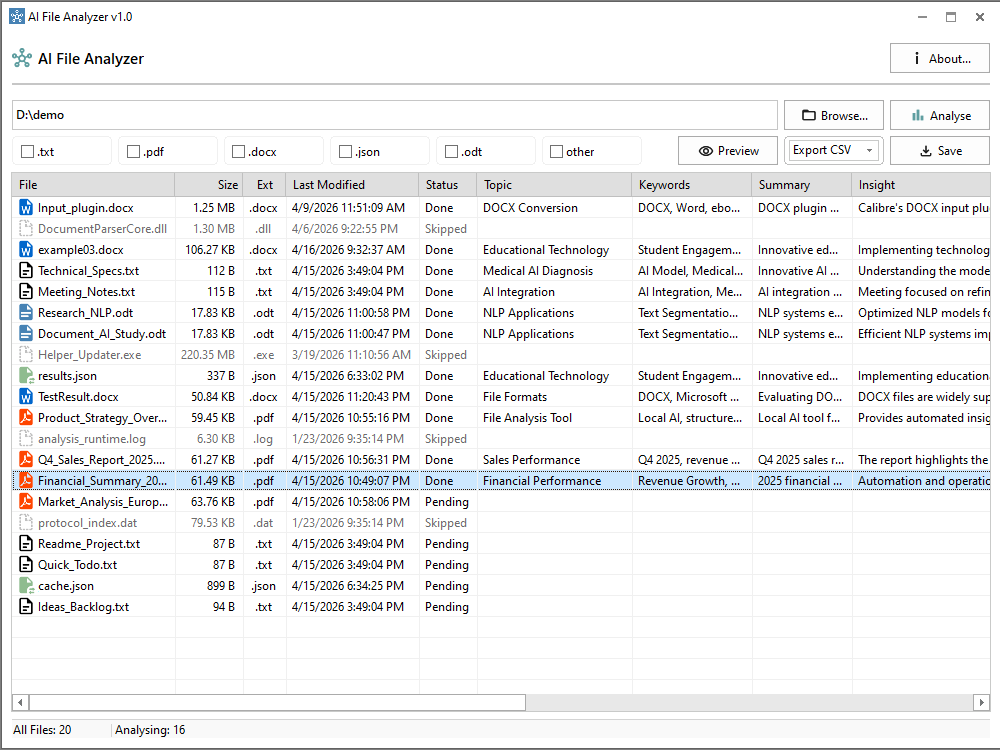
Batch Document Analysis
Processing large collections of files manually is time-consuming and inefficient. Batch analysis lets entire folders be processed automatically, saving hours of manual review.
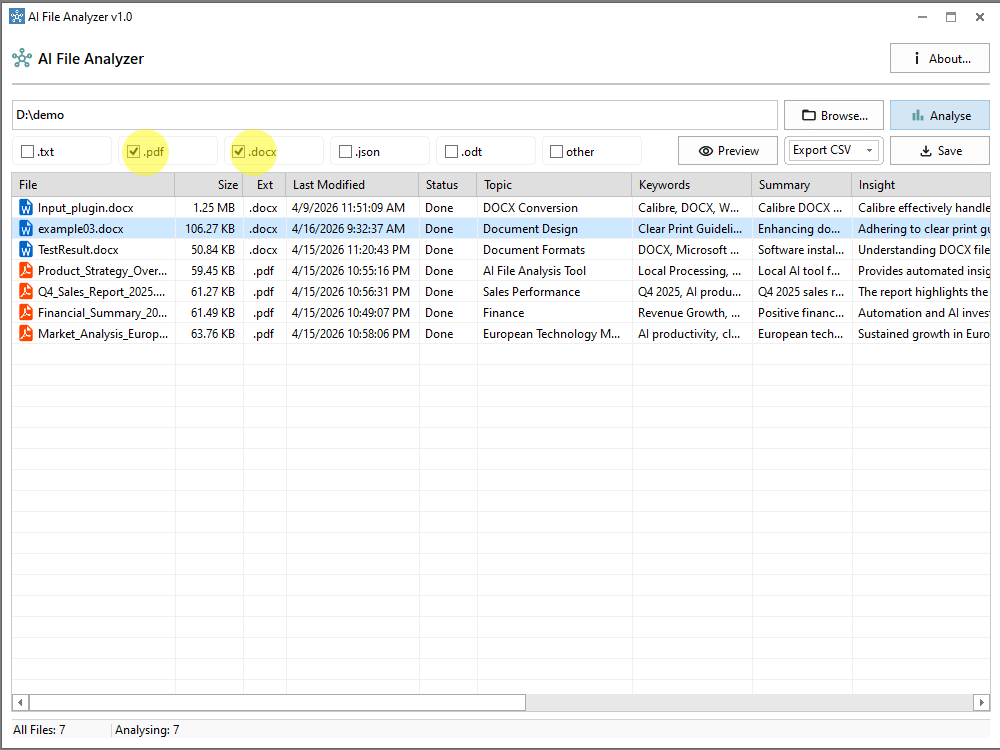
Smart File Type Filtering
Focus analysis on specific file types such as PDF and DOCX. Narrow down large datasets to relevant formats and instantly update the displayed AI-generated insights.
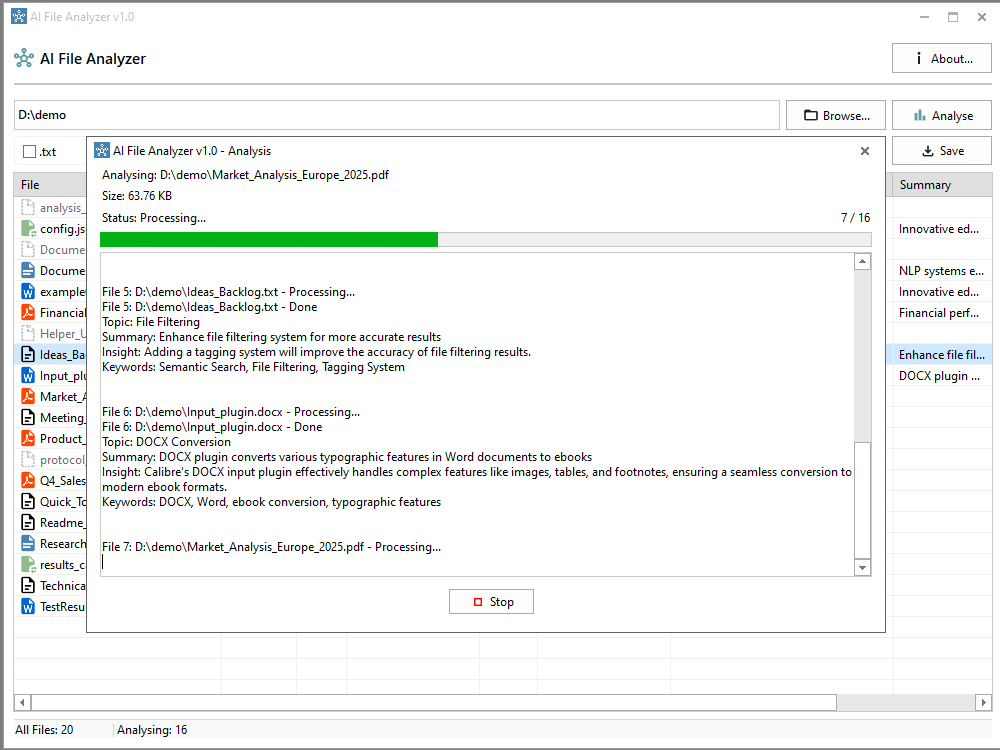
Real-Time Analysis Tracking
Monitor processing in real time with live progress updates and detailed execution logs, including status changes and intermediate results.
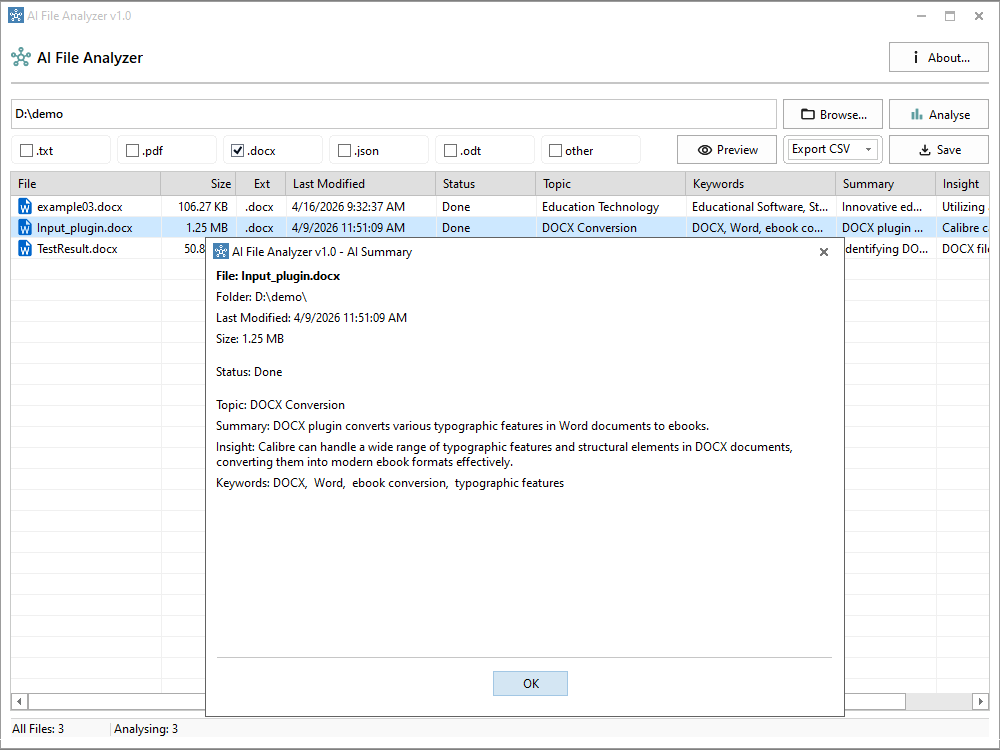
AI-Powered Document Summarization
Every processed file is enriched with a topic, a summary, and keywords directly in the interface — no need to open files manually to understand what they contain.
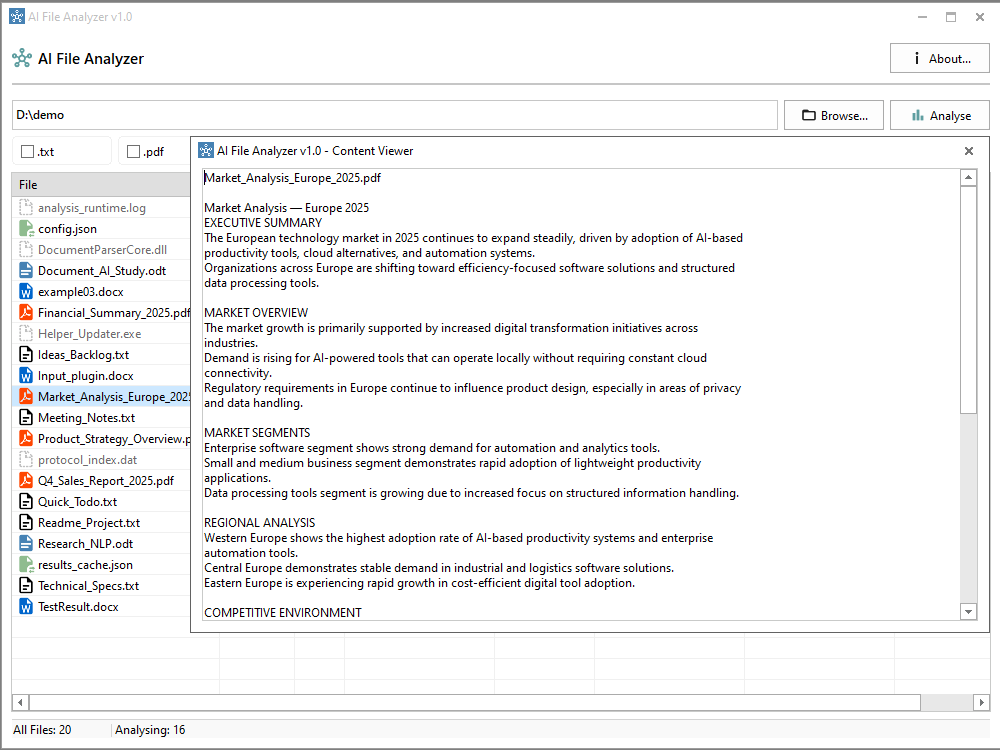
Built-in Document Preview
View the original content of any file directly inside the app, alongside the AI-generated insights, without opening an external editor.
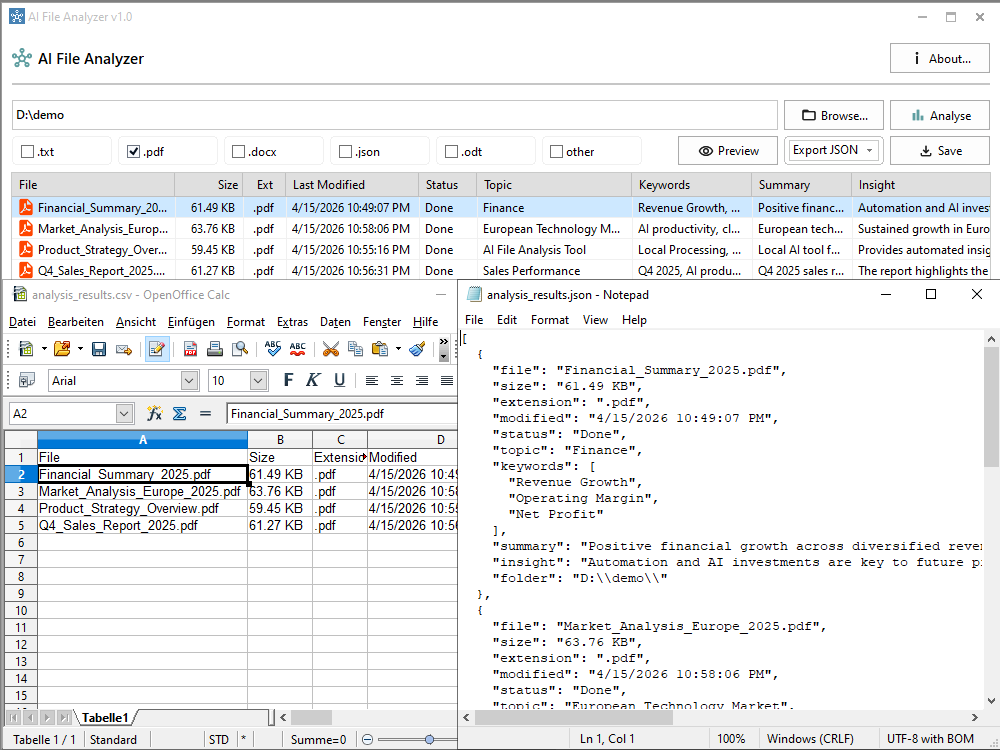
Export to CSV and JSON
Export the generated insights as a CSV table for spreadsheet analysis, or as JSON for use in another application or pipeline.
Local vs. Cloud
AI File Analyzer processes documents on your machine, unlike cloud-based tools that require uploading files to external servers.
Local AI (AI File Analyzer)
- Files never leave your computer
- Full data privacy and control
- Works offline, no internet connection needed
- No third-party data processing
Cloud-Based Tools
- Files are uploaded to external servers
- Potential privacy and security concerns
- Requires an internet connection
- Data processed by third-party services
About AI File Analyzer
Managing large collections of documents, reports, and text files manually is inefficient. Important information is often scattered across many files, making it hard to see what they actually contain.
AI File Analyzer processes entire folders of documents using a local AI model based on Qwen2.5-3B-Instruct (GGUF). It extracts text from each supported format and generates a topic, a summary, and keywords for every file.
Beyond a basic summary, the tool surfaces what a document actually means, not just what it says — useful for spotting trends or conclusions across a large batch of files.
Processing runs asynchronously, so large datasets don’t block the interface while they’re being analyzed.
Supported File Formats
Use Cases
- Analyzing large collections of business reports and documents
- Extracting insights from research papers and articles
- Summarizing internal company files
- Processing mixed-format document datasets
Main Capabilities
- Batch analysis of multiple documents in a selected folder
- Automatic content extraction from TXT, PDF, DOCX, and ODT files
- AI-generated topic, summary, and keyword extraction
- Local processing using the Qwen2.5-3B-Instruct model — works offline
- Asynchronous processing for large datasets
- File type filtering and structured result organization
- Export results to CSV or JSON
Frequently Asked Questions
Does AI File Analyzer need an internet connection?
No. The AI model runs locally on your machine, so analysis works fully offline once the app is installed.
Which file formats are supported?
TXT, PDF, DOCX, ODT, and JSON files are supported today.
Do my documents get uploaded anywhere?
No. Every file is read and processed locally. Nothing is sent to a server, and no account is required to use the tool.
What are the system requirements?
CONFIRM: add real RAM / disk space / CPU requirements here (the local model needs enough RAM to load — worth stating a concrete number).